Music video distribution
Music video clips for Shorts from one full AI music video
Use the full release video as the source of truth, then cut vertical moments that sell the song without breaking the visual world.
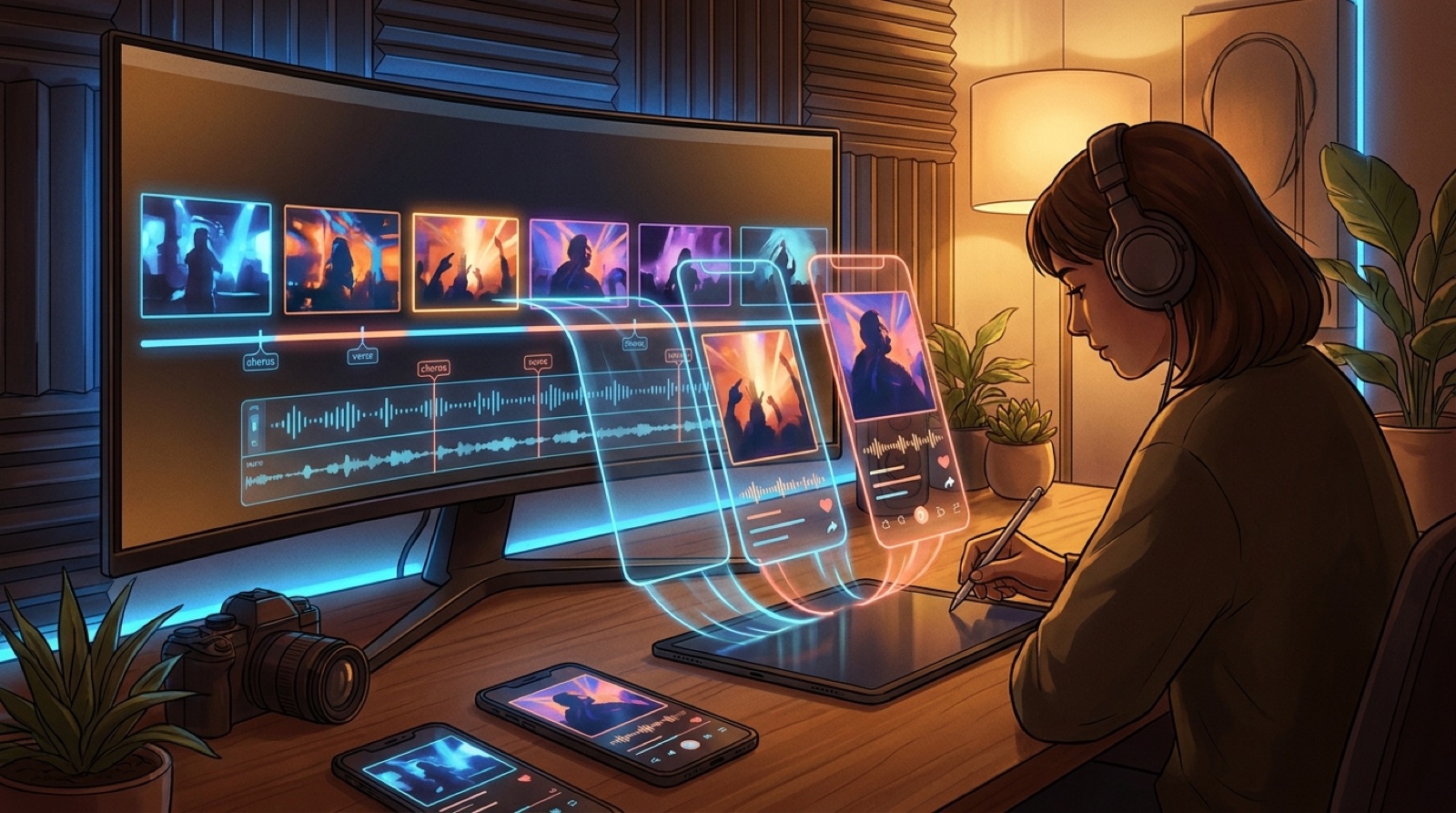
If you already have a full video for a finished song, you also have the raw material for music video clips for Shorts, Reels, TikTok, and teaser posts. The mistake is treating short clips as a second creative project. That usually creates more work, weaker visuals, and a release campaign that feels disconnected from the main video.
A better approach is to cut from the full video first. The long version already contains the song structure, the visual mood, the main character or setting, and the moments that explain what the release feels like. Short-form clips should borrow that strength. They should make someone want to hear the song, watch the full video, or save the artist name.
This does not mean posting random 15-second chunks. A good short clip has its own job. One clip can sell the chorus. Another can introduce the world. Another can show a visual twist. Another can work as a looping mood piece for people who do not know the song yet.
Start with the moments people remember
Before you open an editor, watch the full video once without cutting anything. Mark the moments that would still make sense if someone saw them without context.
Look for:
- The first frame that explains the world
- The strongest chorus moment
- A visual change that matches a lyric or beat drop
- A close-up, symbol, or scene that could become a thumbnail
- A moment that loops cleanly
You are not looking for the technically busiest shot. You are looking for the shot a stranger can understand in one second. Short-form feeds are harsh that way. People do not wait for the song to prove itself.
If the full video was built around a clear visual anchor, this becomes much easier. A character, room, city, vehicle, object, or color style gives every short clip something recognizable to carry. That is also why a full SceneLore video is useful beyond YouTube. It gives the release a visual library, not just one upload.
Cut by song function, not by platform length
Creators often start with platform limits: 9 seconds, 15 seconds, 30 seconds. That is backwards. Start with the job of the clip.
A hook clip should begin with the most readable frame and reach the chorus, drop, or lyrical point fast. A chorus clip can run a little longer because the payoff is musical. A mood clip may only need 6 to 10 seconds if the loop feels good. A teaser for the full video can end before the best moment, as long as the cut feels intentional.
Use the song structure as your map:
- Intro clip: introduce the world before the vocal or drop
- Chorus clip: show the strongest repeatable moment
- Story clip: use a lyric or scene change that creates curiosity
- Loop clip: pick motion that can restart without feeling broken
- Proof clip: show that this is a full video, not a static cover
This is how repurposing stays useful. You are not making filler for every channel. You are making a small set of clips that each gives the song a different doorway.
Reframe for vertical without destroying the shot
Most full music videos are easier to watch in horizontal format. Most social discovery happens vertically. The trick is to reframe the existing shot while keeping the subject clear.
Use a vertical crop around the visual anchor. If the shot has a face, keep the eyes and motion in the upper half. If it has a landscape or object, let the crop follow the part that carries the emotion. Avoid centered crops when the important movement is off to one side.
Some scenes will not survive vertical cropping. That is fine. Do not force every shot into a phone frame. Pick the moments that naturally hold up.
When a wide shot is important, you can use a vertical layout with the full frame smaller inside it, but use that sparingly. If every clip looks like a horizontal video squeezed into a vertical box, the campaign feels lazy.
Keep captions simple
Captions can help a short clip, but they can also make a music video feel like an ad template. Use one lyric line, a short song cue, or a plain release note when it adds context. Avoid covering the visual anchor or explaining the whole concept on screen. If the image already tells the story, let it breathe.
Make three practical exports
For most releases, start with three short-form exports.
First, make a chorus clip. This is the most obvious social asset, and it is usually the easiest to reuse across YouTube Shorts, Instagram Reels, and TikTok. Pick the moment where the song becomes most recognizable.
Second, make a visual hook clip. This should start with the strongest image, even if it appears later in the full video. The goal is to stop the scroll before the listener understands the song.
Third, make a world-building clip. This can be slower. It gives people a feeling for the artist, character, or setting. It is useful for profiles, pinned posts, and repeated campaign posts when you do not want to keep shouting the chorus.
You can make more later. Start with clips you would actually post, not a folder full of exports you will never use.
Link the clips back to the full video
Short clips should point somewhere. That could be the full YouTube video, the song page, the artist profile, or the app where the video was made.
Keep the call to action plain. "Watch the full video" is enough when the clip is strong. "Full song on YouTube" works. "Made with SceneLore" can fit when the audience includes other creators.
Do not overexplain the production process inside every post. Most listeners care whether the song and visual world feel interesting. Other creators may care about the workflow, but that can be a separate post.
Build the full video with clips in mind
The best short clips are easier to make when the full video was planned with distribution in mind. That does not mean turning the whole music video into social content. It means leaving enough strong, readable moments that can survive outside the full edit.
When you build a video from a finished song, think about the campaign assets at the same time:
- Which scene becomes the first teaser?
- Which chorus moment becomes the main short?
- Which image becomes the thumbnail?
- Which shot proves the video is more than a loop?
SceneLore helps because the full video is not just an end file. It becomes the source material for the rest of the release. One good visual world can feed YouTube, Shorts, Reels, TikTok, and artist profiles without making the song look different everywhere.
Short clips work best when they feel like doors into the same world. Make the full video first, cut from its strongest moments, and keep every export connected to the song people are supposed to remember.
Turn one song into a full video and launch clips
Upload your finished track, build the full visual world, then use its strongest moments across the rest of the release.
Create Your First VideoRelated guides
FAQ
How many short clips should I make from one music video?
Start with three: a chorus clip, a visual hook clip, and a world-building clip. Add more only when the song has extra moments that feel strong on their own.
Should I make Shorts before or after the full music video?
Make the full video first when possible. It gives you a consistent visual world, then you can cut short clips from the strongest scenes instead of inventing separate visuals for every platform.
What length works best for music video clips?
Use the song moment as the guide. A visual hook may work in 6 to 10 seconds. A chorus clip may need 15 to 30 seconds. The clip should reach its payoff quickly.